
Shift scheduling, and the hours actually worked. A shift roster, and a work-time record offered from it.
Example. Names and figures are made up.
From the roster to the record.
The roster needs Growth; the record comes with every plan.
The month is planned
Drag over empty days and pick a shift, or write a rotation.
Leave is already on it
Approved leave, holidays and rest days are already marked.
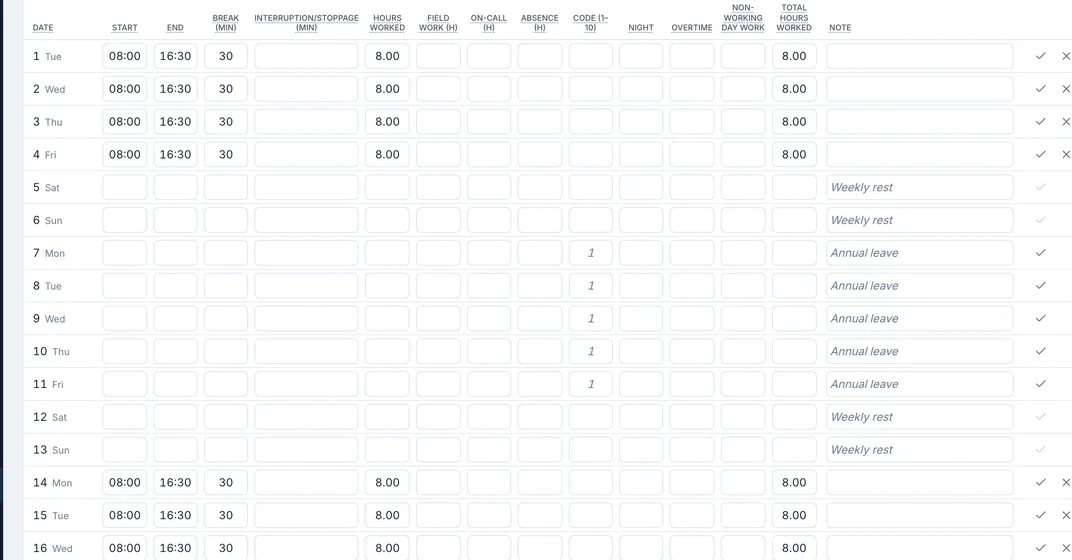
The record is offered
From the shift, the holiday or the leave. Accept it, then export to PDF or CSV.
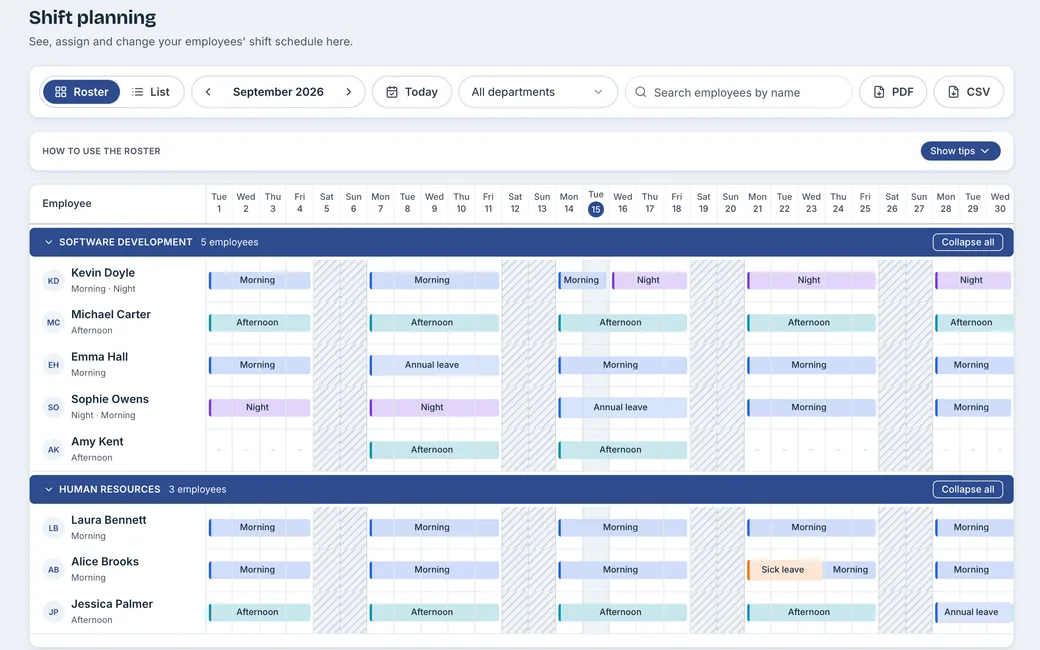
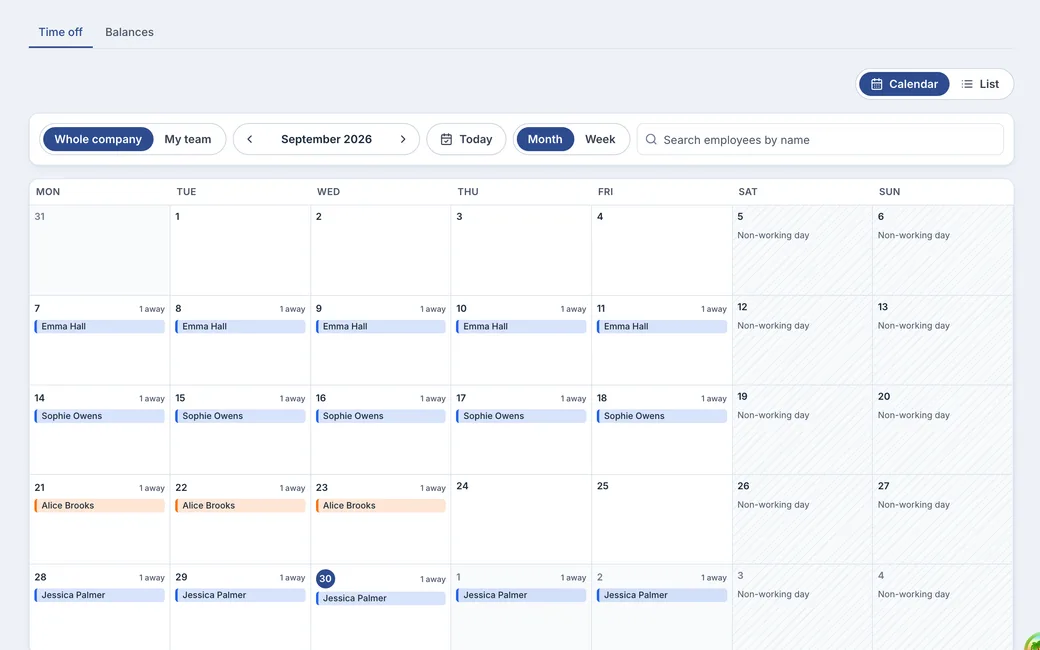
A month is planned with the mouse.
Drag days to another row: empty days move, worked days swap.
- A rotation becomes ordinary shifts, written out to the date you pick and edited week by week.
- One shift per person per day. A clash is refused and named.
- Managers plan their own people, HR plans everyone.
The month offers itself.
Only what is accepted becomes the record.
- Accept a day, a month, or many people at once. Every acceptance can be undone.
- Leave and holidays come from HR, never typed twice.
- Hours, night hours and overtime follow your chosen rule set. Limits are flagged, not blocked.
Questions about shifts and work time
Which plan do I need for shift scheduling?
The shift roster comes with Growth. The monthly work-time record comes with every plan.
Can managers plan shifts for their own team?
Yes. Managers plan their own people, and HR plans everyone.
Can I set up a rotating shift pattern?
Yes. A rotation is written out as ordinary shifts up to the date you pick, and you can still edit it week by week.
Does the work-time record fill itself in?
It is offered from the shifts, holidays and leave already in HR. Nothing becomes the record until you accept it, and every acceptance can be undone.
Can I export the work-time record?
Yes. Accept it, then export it to PDF or CSV.