
Employee records, with every document and date. One profile per person, with the documents and the dates.
Example. Names and figures are made up.
How a profile works, in three steps.
Documents, contracts and probation are tracked, and every change stays on record.
Everyone in one directory
Quick views with counts, filters, and the leave balance beside each name.
Documents on the person
Under your categories, each with a number, dates and who can see it.
Their own page
Once invited, they see their record and what is asked of them.
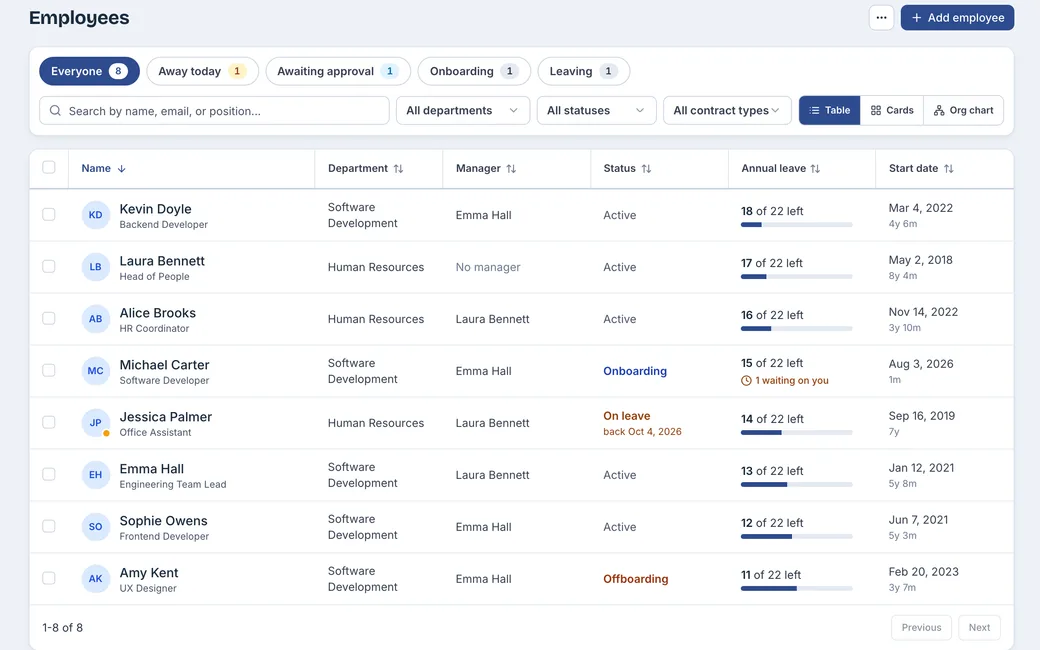
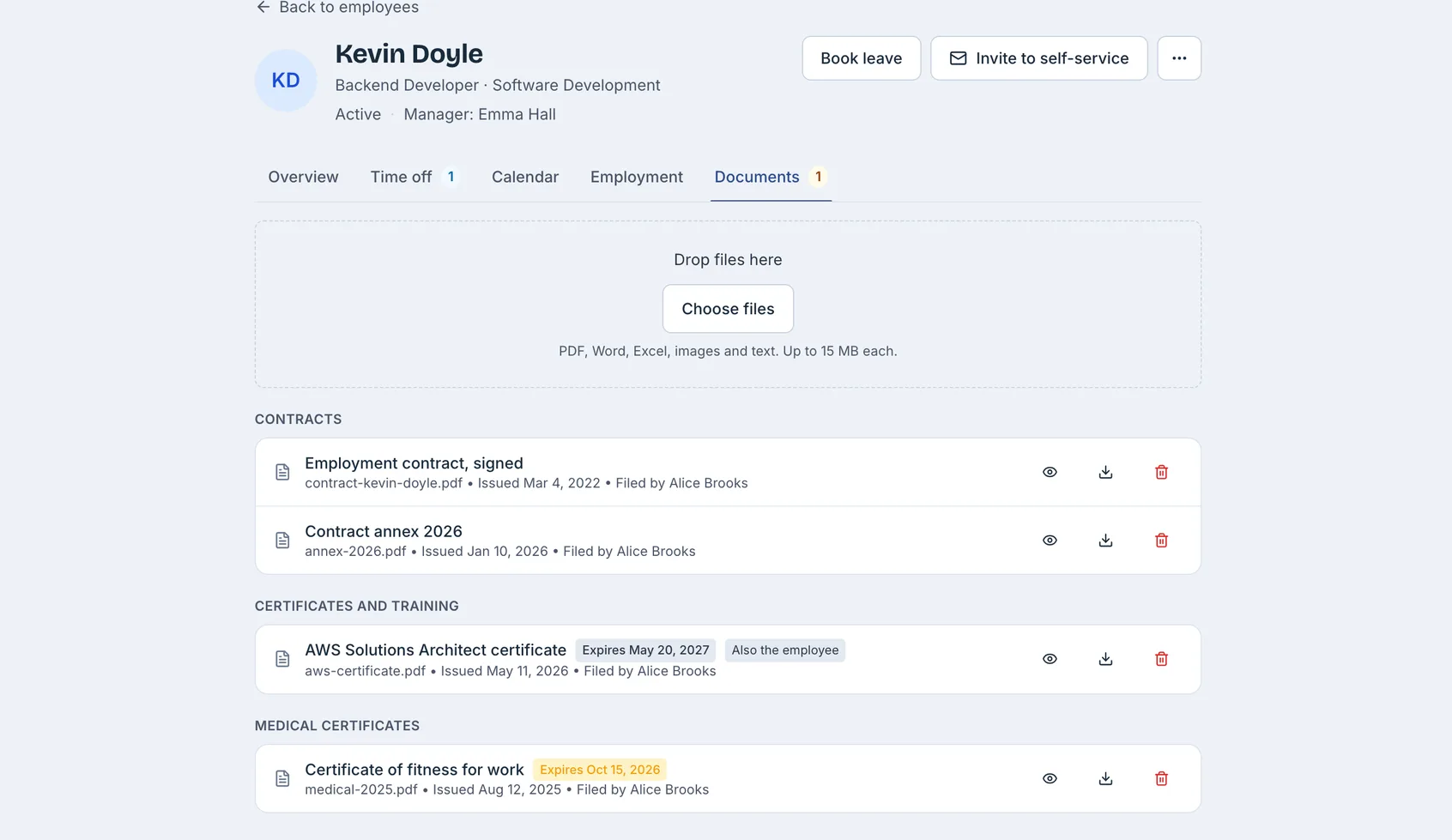
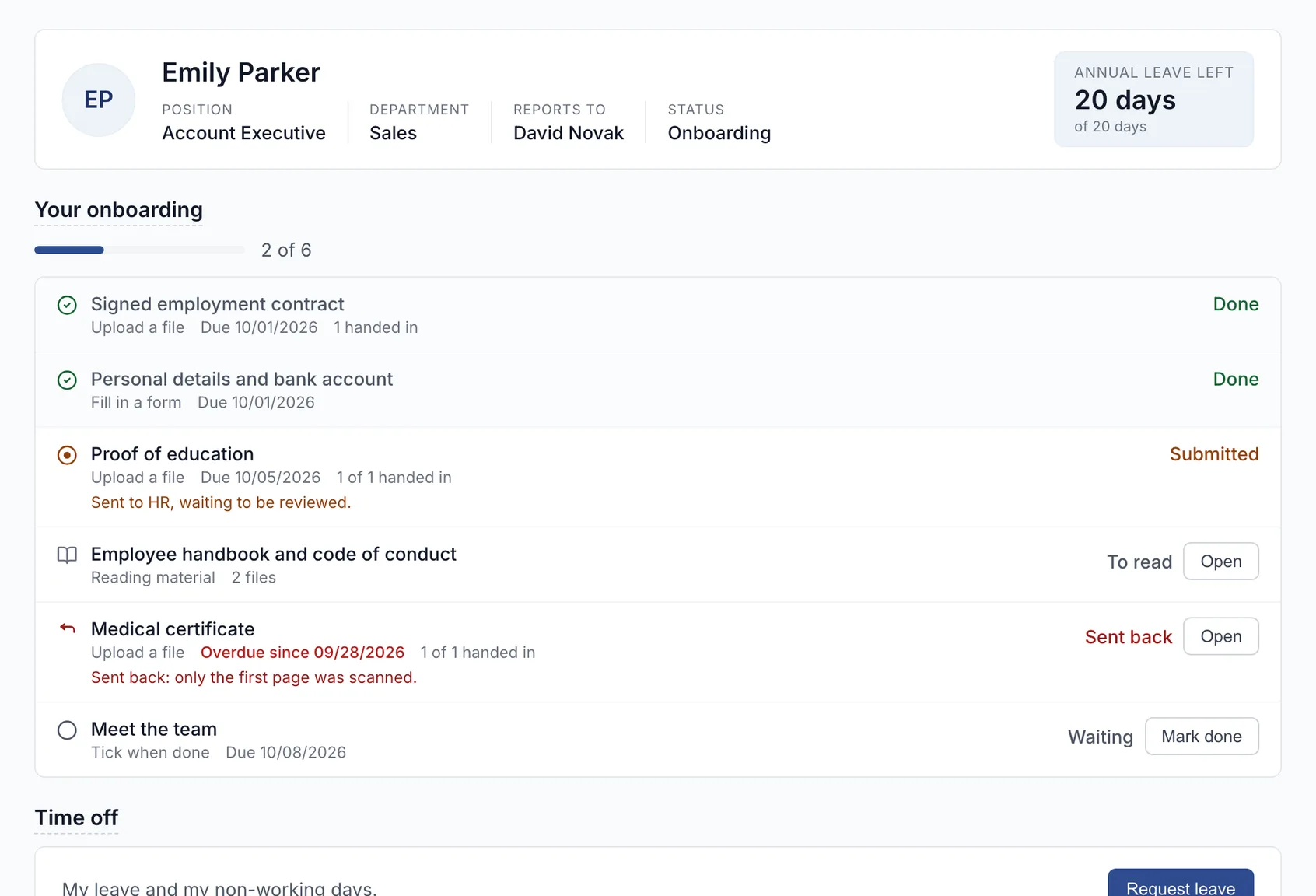
One profile per person, from joining to leaving.
Leave, the org chart and reports all read from it.
- Statuses cover the whole stay: joining, active, on leave, leaving and left.
- Work on many at once: move several people to a department, or export them.
- Pay history stays private: earlier values and reasons, for authorised people only.
- Hires keep their story: the job, the date and the application, one click away.
No date that matters slips past.
You name the categories, and the system watches the dates.
- Your own categories
- Contracts, certificates or permits, named and ordered by you.
- Reminders before expiry
- Documents, contracts and probation, in one email a day, and a task if you use Tasks.
- Renewals keep the thread
- A renewal is a new document, linked to the old one, which stays in history.
Everyone sees only what is theirs.
The same profile looks different to the employee, their manager and HR.
- The employee
- Invite them, and they see their own record.
- Private fields
- Each private field has its own permission, so you choose which roles see it.
- Document by document
- HR only by default. Mark one visible, and the employee opens it themselves.
- Every change on record
- Who changed what and when, old value beside new, with filters.
Questions about employee records
What does an employee record hold?
Employment and personal details, documents under categories you name, and a status from joining to leaving. Leave, the org chart and reports all read from it.
Will I be reminded before a contract or document expires?
Yes. Documents, contracts and probation get a reminder before they expire, in one email a day, and a task if you use Tasks.
Who can see an employee's private details?
Each private field has its own permission, so you choose which roles see it. Documents are HR only by default until you mark one visible.
Can employees see their own record?
Yes. Invite them, and they see their own record and what is asked of them.
Is every change to a record logged?
Yes. Who changed what and when, with the old value beside the new.