
An org chart nobody has to draw. Departments and reporting lines, drawn from the records themselves.
Example. Names and figures are made up.
Two fields per person build the chart.
Set a department and a manager on each profile.
Department and manager on the profile
That is the whole input.
The chart follows
Change a manager and the chart moves too.
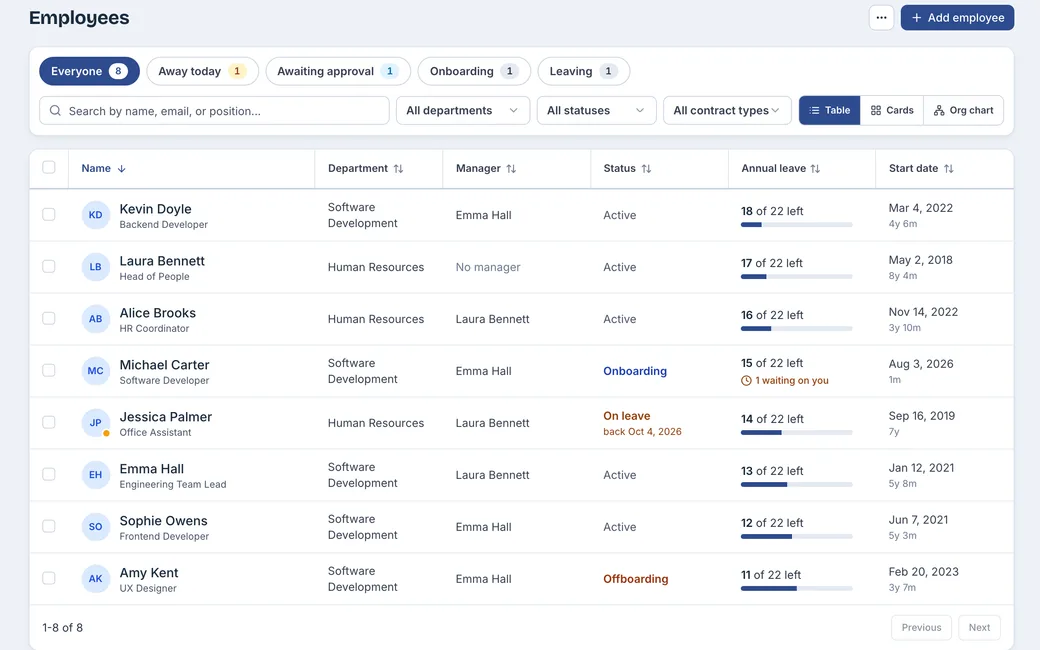
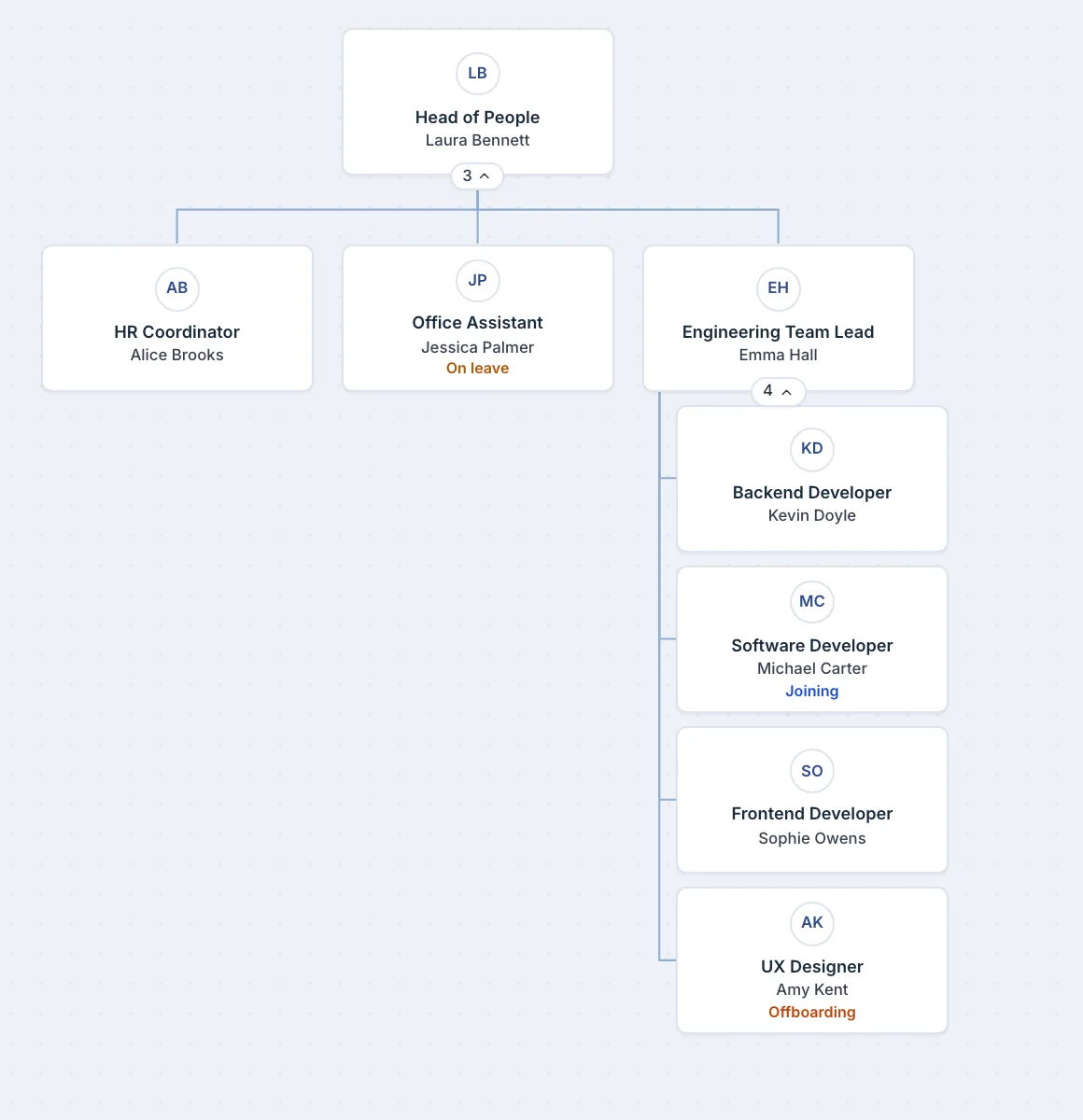
The directory and the chart share one structure.
Filter by department or status, and choose what each card shows.
- Your fields on the card: position, department, status and more.
- Expand, collapse, zoom, or export a PDF from A4 to A0.
- When a manager leaves, their team is flagged.
The manager field also routes work.
Set it once for leave, protocols and access.
- It routes leave
- Requests go to the manager, then up the line.
- It holds protocol steps
- Manager steps land with them. With no manager or no login, HR takes them.
- It scopes access
- Line managers see their own team's leave and protocols.
Questions about the org chart
How is the org chart built?
From two fields on each employee profile: department and manager. Change a manager, and the chart moves too.
Can I export the org chart?
Yes, as a PDF from A4 to A0.
Can I choose what each card shows?
Yes. Position, department, status and other fields you pick.
What happens when a manager leaves?
Their team is flagged on the chart.
Does the manager field do anything else?
It routes leave requests up the line, holds the manager's protocol steps, and lets line managers see their own team's leave and protocols.